

Slotrave App for Finland | Download for iOS & Android
Slotrave Finland App — The Rave in Your Pocket
The app caught me off guard by becoming part of my daily habit. Usually, testing a casino on mobile follows a predictable script — install, poke around the menus, confirm things load, then go back to the desktop. That routine almost never changes. But Slotrave kept pulling me back to my phone while the laptop sat untouched. Nothing forced me to keep returning. The experience just felt smooth, like nothing was lost between the full site and the smaller screen.
Here is the honest truth: most casino apps feel like they were built as an obligation. This one did not. The real test was whether I would reach for it even with my computer right next to me. Plenty of apps technically work. That is not the bar. But this time, without planning to, I kept tapping the phone first. Slotrave genuinely surprised me on that front. I never expected to stop opening the browser altogether. Finnish players who spend most of their screen time on mobile will understand why that shift matters. One tap replaced a whole routine. The phone screen lit up before the desktop ever woke from sleep.
Available through the App Store and Google Play, with a standalone APK ready for Android users who prefer a direct download. Everything below covers how to get it installed, how to use it, and what greets you once it is running.
Getting Slotrave on Your iPhone or iPad
Installing on iOS works exactly the way every other app does. No workarounds, no special settings to toggle, no configuration files to deal with.

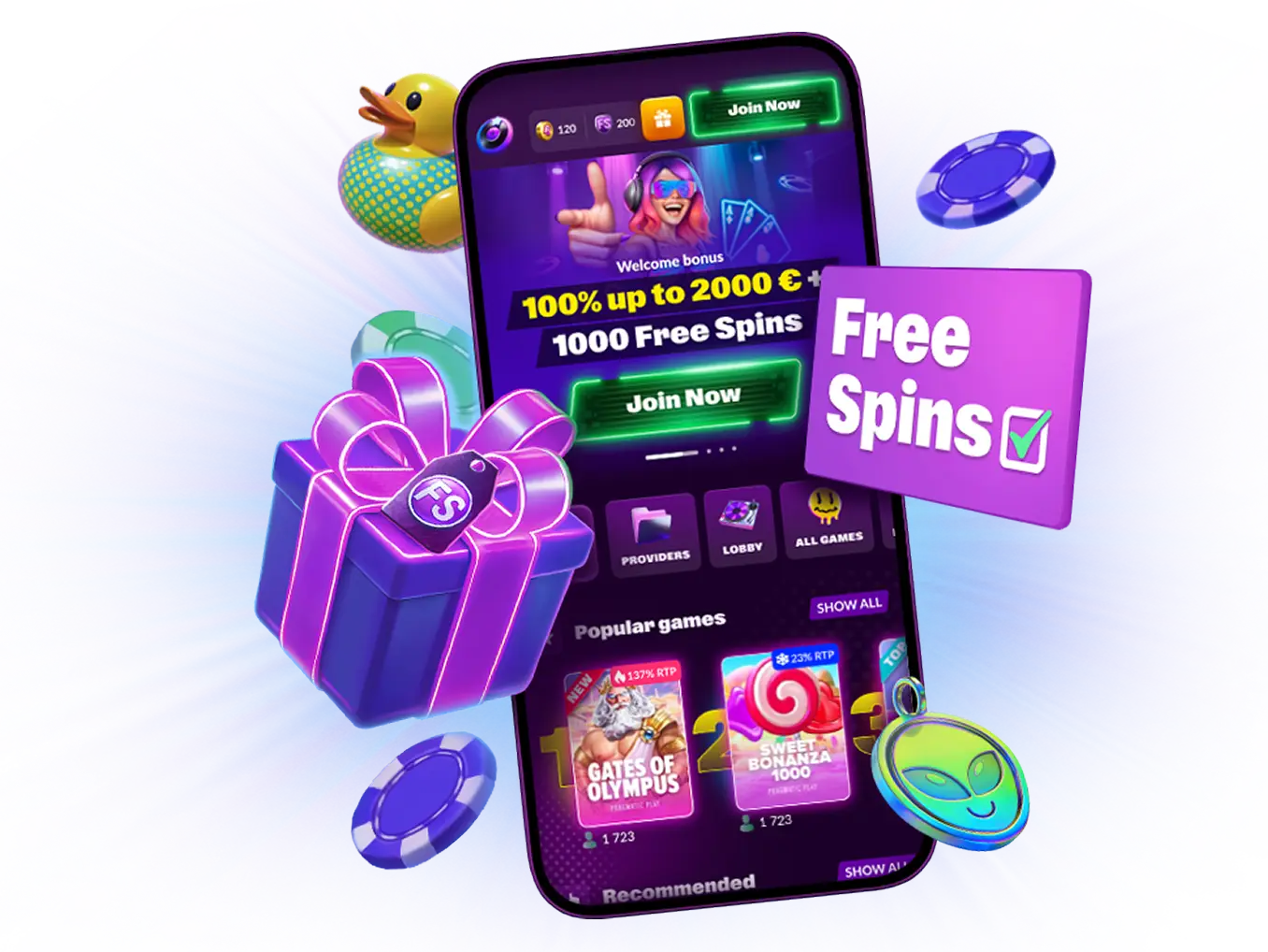
- Open the App Store on your device.
- Search for Slotrave.
- Tap Get, then Install.
- Let the download finish — it sits under 100MB, so even on mobile data this wraps up in seconds.
- Launch the app and sign in with your existing account, or set up a new one.
 Download the
 IOS app
That is genuinely all there is to it. If you have ever put an app on an iPhone, you already know this flow. Slotrave adds nothing extra — no verification gates, no additional permissions screens. The app supports iOS 12.0 and later, so even devices from several years back will run it without trouble. Finnish players with older iPhones gathering dust in a drawer might be pleasantly surprised.
Two Ways to Get Slotrave on Android
Android hands you a choice. You can take the standard Google Play path, or grab the APK file straight from the Slotrave website. Both options deliver the same app. The difference comes down to personal preference and how you like to handle updates.

Option 1 — Google Play Store
- Open Google Play on your Android device.
- Search for Slotrave.
- Tap Install.
- Launch the app once the download completes.
 Download the
 android app
This is the easier route. Updates arrive automatically in the background, just like every other app on your phone. If staying on the latest version without lifting a finger appeals to you, stick with this method.
Option 2 — APK from the Slotrave Website
If going direct sounds better, the APK file lives on the official Slotrave site.
- Open your browser on your Android device and navigate to the Slotrave website.
- Locate the download section — it is not hard to find.
- Tap the Android APK download link.
- Your phone will prompt you to allow installations from unknown sources. This is normal procedure for any app downloaded outside of Google Play — not a security risk when the source is the official site.
- Open the downloaded file and tap Install.
- Find it on your home screen or in your app drawer and launch.
Download the android app
One critical note: only grab the APK from the official Slotrave website. Third-party APK repositories can host tampered versions, and that is a gamble you do not need to take when the legitimate file sits right there. With the APK route, updating to newer versions falls on you. Not a major hassle, but good to know before you choose this path.

What the App Actually Does Well


What Your Device Needs to Run It

If You Would Rather Skip the Download
Slotrave App — Common Questions
-
Is the app free?
Entirely. App Store, Google Play, APK — every download option costs nothing. The only money involved is whatever you decide to deposit, same as on the main website. -
Do I need to create a separate account?
No — and this is something that should go without saying, but somehow not every casino gets it right. Your existing Slotrave login works on the app immediately. Balance, bonuses, VIP progress — everything transfers over. One account across all devices. -
What about battery drain?
Live dealer sessions will chew through your battery faster than standard slot play. That holds true for every casino app out there, not just this one. If you are settling in for a longer live session, keep a charger within reach. For regular slot spinning, consumption stays reasonable. -
The app does not appear in my store. What now?
Store availability can differ by region. Android users can bypass this entirely by downloading the APK from the Slotrave website. iOS users — the mobile browser version serves as your best alternative, and it genuinely performs well enough that you will not feel shortchanged. Finnish players should have no trouble finding it in either store. -
How do APK updates work?
If you installed through the App Store or Google Play, updates land automatically. APK users need to visit the Slotrave site to check for newer versions and download them by hand. Slightly less seamless, but you stay in full control of when updates roll in. -
Can I try games without putting money in?
Demo mode operates on the app exactly the way it does on desktop. Most slot titles let you spin using play credits. Live tables are the exception — real dealers require real wagers. -
Is the app as secure as the desktop site?
Same encryption standards, same protocols, same infrastructure under the surface. The app is not a separate system — it plugs into the identical backend. Your data receives the same treatment regardless of which screen you are viewing it on.

One Last Thing Before You Go
Join Now
-
 Slot Rave Slovensko
-
 Slot Rave Ireland
-
 Slot Rave Danmark
-
 Slot Rave España
-
 Slot Rave Magyarország
-
 Slot Rave Norge
-
 Slot Rave New Zealand
-
 Slot Rave Australia
-
 Slot Rave Canada
-
 Slot Rave Österreich
-
 Slot Rave Česko
-
 Slot Rave Chile
-
 Slot Rave Schweiz
-
 Slot Rave Portugal
-
 Slot Rave Polska
-
 Slot Rave România
-
 Slot Rave Slovenija
-
 Slot Rave Argentina
-
 Slot Rave Canada(FR)
-
 Slot Rave Italia
-
 Slot Rave Deutschland
